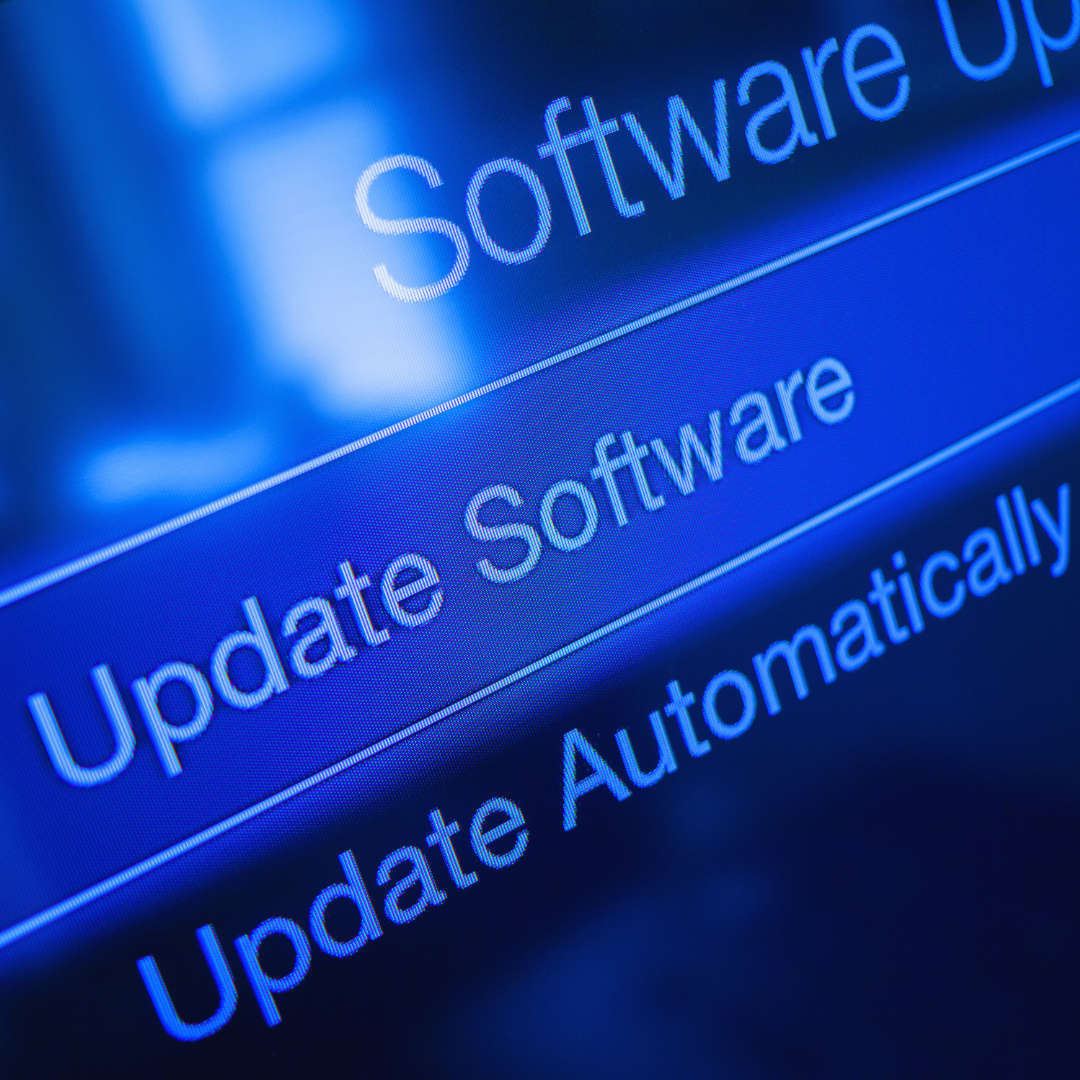
Investing in technology upgrades can improve efficiency, save time, and reduce long-term costs. The most worthwhile upgrades often include faster processors, increased storage capacity, and improved security features. These changes support better performance and protect important data against evolving threats.
Upgrading technology isn’t just about the latest gadgets; it’s about choosing tools that enhance productivity and user experience. Whether for personal use or business, strategic investments in technology can provide lasting value and adapt to future demands.
The Importance of Technology Upgrades
Upgrading technology impacts multiple facets of business performance. It can improve workflow, sharpen competitive standing, and trim down regular expenses.
Enhancing Business Productivity
New technology automates manual tasks, speeding up processes. For example, updating software can reduce the time spent on data entry by up to 50%. This allows employees to focus on higher-value activities.
Upgraded hardware, such as faster computers and better networking devices, minimises downtime caused by technical issues. It also supports more advanced applications that drive efficiency.
Employee collaboration tools that come with upgrades enhance communication and project tracking. Clearer workflows lead to faster decision-making and fewer errors in operations.
Staying Ahead of the Competition
Technology that’s current enables quicker adaptation to market changes. Companies with outdated systems may lose customers due to slower service or less innovation.
Investments in data analytics platforms provide insights into customer behaviour and market trends. This intelligence supports smarter strategies and product development.
New tech can also improve customer experience with faster response times, personalised services, or new features. These improvements are often key differentiators in competitive industries.
Reducing Operational Costs
Upgrading technology often reduces the need for manual labour and physical resources. Automation cuts down on repetitive tasks, lowering labour costs.
Modern systems use energy more efficiently, which decreases utility bills. Cloud computing can eliminate expenses related to on-premises servers and maintenance.
Fewer breakdowns and extended equipment lifespan result in less spending on repairs and replacements. The total cost of ownership falls over time with better technology management.
Essential Hardware Investments
Investing in core hardware components boosts performance, security, and connectivity for any operation. Prioritising reliable and scalable technology reduces downtime and supports future growth effectively.
Upgrading Computers and Workstations
Modern computers and workstations directly impact productivity. Key upgrades include faster processors like Intel’s latest Core i7 or AMD Ryzen 7 models, at least 16GB of RAM, and SSD storage for faster data access.
Choosing systems with high-resolution monitors improves visual clarity for detailed tasks. Workstations should support the software used daily, with graphics cards if needed for design or engineering.
Regular updates prevent bottlenecks and support multitasking. Extending device life beyond five years is rare in demanding environments, so plan hardware refreshes every 3–5 years.
Network Infrastructure Improvements
Reliable network infrastructure is critical for seamless communication and data transfer. Upgrading routers and switches to support Wi-Fi 6 or Wi-Fi 6E offers faster speeds and better device density handling.
Implementing gigabit or multi-gigabit Ethernet cabling increases wired connection speed and reduces latency. Using managed switches provides advanced traffic management, reducing network congestion.
Consider network segmentation to improve security and performance. Upgrading firewall hardware supports more robust threat prevention without slowing down data flow.
Implementing Secure Servers
Secure servers ensure data integrity and protect sensitive information. Investing in servers with hardware-driven encryption and redundant power supplies minimises downtime risks.
Choosing servers with scalable storage options like NAS or SAN systems allows efficient data growth management. Opt for systems with RAID configurations for data redundancy.
Regular firmware updates and hardware monitoring tools maintain security and operational health. For critical applications, consider virtualisation-ready servers to optimise resource usage and backup capabilities.
Software Solutions Worth Investing In
Investing in software requires focusing on tools that enhance efficiency, scalability, and collaboration. Choosing the right solutions can streamline operations, reduce costs, and improve productivity across various business functions.
Cloud Computing Applications
Cloud computing applications provide flexible access to data and software from any location. They reduce the need for expensive on-site hardware and support remote work seamlessly. Popular platforms like Microsoft Azure, AWS, and Google Cloud offer scalable storage, powerful analytics, and integrated security features.
These platforms often include Software as a Service (SaaS) tools that eliminate the need for complex installation and maintenance. Businesses benefit from pay-as-you-go pricing models, which can lower upfront costs and align expenses with actual usage. Cloud applications also support automatic updates, ensuring users always have the latest features without manual intervention.
Business Management Platforms
Business management platforms integrate essential functions such as accounting, inventory, sales, and customer relationship management (CRM) into one system. Solutions like SAP Business One, Oracle NetSuite, and Zoho One enable centralised data handling and real-time reporting.
Such platforms improve decision-making by providing a unified view of operations. Automation of routine tasks, such as invoicing and payroll, reduces errors and saves time. Customizable dashboards and mobile access increase operational agility, allowing managers to respond quickly to changing market conditions.
Automation Tools
Automation tools boost productivity by handling repetitive tasks and workflows. Products like Zapier, UiPath, and Microsoft Power Automate connect disparate software, enabling data transfer and process automation without coding.
These tools can automate tasks ranging from email marketing to invoice processing, freeing employees for higher-value work. Implementing automation often results in faster turnaround times and fewer manual errors. Many platforms also offer analytics to track workflow efficiency and identify bottlenecks for continuous improvement.
Cybersecurity Upgrades
Upgrading cybersecurity involves implementing stronger authentication, improving firewall technology, and continuously assessing security measures. Each element strengthens different layers of defence against cyber threats.
Multi-Factor Authentication
Multi-Factor Authentication (MFA) significantly reduces the risk of unauthorised access by requiring users to verify their identity using two or more methods. Common factors include something you know (password), something you have (smartphone app), and something you are (biometrics).
MFA prevents breaches from stolen passwords alone. Even if credentials are compromised, the additional layer blocks attackers. It is particularly critical for accessing sensitive systems or remote work environments.
Implementing MFA can be done through apps like Google Authenticator or hardware tokens. It is a cost-effective upgrade with a measurable impact on security.
Next-Generation Firewalls
Next-Generation Firewalls (NGFWs) offer more than traditional firewalls by including features like application awareness, intrusion prevention, and encrypted traffic inspection. These capabilities allow precise control over network traffic.
NGFWs identify and block sophisticated threats by analysing traffic context instead of just ports or IP addresses. This helps detect malware, ransomware, and policy violations faster.
Organisations benefit from deploying NGFWs to protect cloud services, on-premises networks, and hybrid environments. Regular updates to firewall policies and signatures keep defences current.
Regular Security Audits
Regular security audits help identify vulnerabilities before attackers exploit them. Audits include reviewing system configurations, patch levels, user access controls, and network traffic logs.
Audits uncover gaps such as outdated software, weak passwords, or misconfigured firewalls. They provide a clear roadmap for targeted security improvements.
Using automated tools alongside manual reviews increases audit accuracy. Reports from audits support compliance requirements and improve risk management strategies. Scheduling audits at least twice a year is best practice.
Collaboration and Communication Tools
Effective collaboration tools enhance teamwork, streamline communication, and improve productivity. Investing in systems that combine multiple communication methods, support remote work, and track projects clearly can transform how teams function.
Unified Communication Systems
Unified Communication Systems (UCS) integrate various communication channels like voice calls, video conferencing, instant messaging, and email into a single platform. This consolidation reduces the need to switch between apps and lowers response times.
Key features include presence indicators, call forwarding, and conferencing capabilities. UCS platforms like Microsoft Teams and Zoom allow seamless transitions between communication modes, boosting real-time interaction.
Organisations benefit from improved clarity and fewer missed messages. Additionally, UCS often supports mobile devices, enabling employees to stay connected on the go without extra complexity.
Remote Work Solutions
Remote Work Solutions focus on enabling productive collaboration across different locations through cloud-based technologies. These tools include VPNs for secure connections, virtual desktops, and video conferencing suites.
Security is critical, so many solutions incorporate multi-factor authentication and data encryption. Popular platforms like Slack and Google Workspace provide integrated chat, file sharing, and video meetings.
Remote work tools must balance accessibility with security and ease of use. They empower teams to maintain workflows without physical presence, reducing downtime and increasing flexibility.
Project Management Software
Project Management Software organises tasks, deadlines, and resources in one accessible place. Tools like Asana, Trello, and Monday.com use boards, timelines, and task assignments to increase transparency.
Automated notifications and progress tracking keep teams aligned on priorities and milestones. These systems facilitate collaboration by integrating comments, file attachments, and status updates directly within tasks.
Good project management software streamlines workflow, reduces friction, and provides a centralised record of project history. This clarity aids decision-making and accountability across teams.
Emerging Technologies with High ROI
Investing in technology that drives efficiency and data insights can significantly improve business performance. Prioritising tools that automate processes and enhance connectivity tends to deliver measurable returns.
Artificial Intelligence Integration
AI tools, such as machine learning algorithms and natural language processing, streamline operations by automating routine tasks. For example, AI-powered customer service chatbots reduce response times and labour costs while maintaining consistent communication quality.
Businesses using AI for data analysis gain faster insights, improving decision-making accuracy. Predictive analytics can anticipate market trends or customer behaviour, guiding product development or marketing strategies.
Implementing AI requires upfront investment in software and training, but the scalability and operational improvements often exceed these costs. Companies report ROI through increased productivity, reduced errors, and enhanced customer engagement.
Internet of Things Devices
IoT devices connect physical equipment to networks, enabling real-time monitoring and control. In manufacturing, IoT sensors detect equipment wear, preventing costly downtime through predictive maintenance.
Smart office systems optimise energy usage and space management, reducing operational expenses. Retail companies use IoT for inventory tracking, minimising stockouts and overstock situations.
The primary investment includes hardware, connectivity, and integration with existing IT infrastructure. ROI arises from improved asset utilisation, energy savings, and supply chain transparency, making IoT a valuable technological upgrade.
Sustainable Technology Investments
Choosing the right technology upgrades can reduce energy use and environmental impact while often lowering long-term costs. Prioritising hardware efficiency and proper disposal helps align investments with sustainability goals.
Energy-Efficient Hardware
Investing in energy-efficient hardware, such as devices with ENERGY STAR certification, significantly reduces electricity consumption. Modern processors and SSDs use less power compared to older components, which translates into cost savings and less environmental strain.
Upgrading to LED-backlit monitors or laptops with improved battery efficiency can cut energy usage by 20-30%. Servers and networking equipment designed for low power draw also optimise data centre energy costs.
Focus on the total cost of ownership, including energy bills and cooling requirements. Choosing hardware optimised for power efficiency benefits organisations through lower operating expenses and a smaller carbon footprint.
Eco-Friendly Disposal Solutions
Proper disposal of outdated technology prevents hazardous materials from polluting the environment. Programs offering certified e-waste recycling ensure components like lead, mercury, and cadmium are safely handled.
Consider vendor take-back programs or partnerships with certified recyclers. These reduce landfill waste and comply with regulations such as the EPA’s Electronics Recycling Standards.
Donating functioning hardware to nonprofits extends device lifecycles and provides community benefits. Tracking disposal methods maintains transparency and strengthens corporate sustainability reporting.
Employee Training and Adaptation
Effective employee training ensures technology upgrades are fully utilised and integrated into daily operations. Investing in skill-building and structured change management supports smoother transitions and improves overall productivity.
Continuous Skill Development
Ongoing training programs keep employees updated on new tools and software features. This can include workshops, e-learning modules, or hands-on sessions tailored to different roles.
Tracking progress through assessments or certifications helps measure employee proficiency. It also identifies knowledge gaps that require further attention.
Building a culture of continuous learning encourages staff to embrace new technology rather than resist it. Offering incentives, such as career advancement opportunities or bonuses, can motivate participation.
Technology upgrades require regular refreshers to maintain competence as platforms evolve. Keeping training relevant avoids costly errors and downtime.
Change Management Programs
Structured change management minimises disruption during technology transitions. It involves clear communication about the reasons for upgrades, expected benefits, and timelines.
Employee involvement from the outset helps address concerns and gather valuable feedback. This collaborative approach fosters buy-in and reduces resistance.
Providing support systems, such as help desks or peer mentors, ensures users have resources available when adapting to new processes.
Regular updates on progress and recognition of milestones reinforce commitment to the change. Documenting lessons learned improves future upgrade initiatives.
Measuring the Impact of Technology Upgrades
Assessing technology upgrades requires clear metrics and financial scrutiny. It involves identifying measurable outcomes and comparing costs against benefits to make informed decisions.
Key Performance Indicators
Key Performance Indicators (KPIs) track changes in efficiency, productivity, and system reliability after an upgrade. Examples include:
- System uptime percentage
- Task completion time reduction
- User satisfaction scores
- Error rate decrease
Monitoring these KPIs before and after implementation helps quantify improvements. For instance, a 20% faster processing time directly reflects the upgrade’s effectiveness. Tracking adoption rates among staff also reveals how seamless the transition is.
KPIs should align with the organisation’s goals to provide relevant data. Continuous measurement ensures ongoing performance benefits and flags potential issues early.
Return on Investment Analysis
Return on Investment (ROI) measures the financial gain relative to the upgrade cost. It considers both direct savings and indirect benefits such as improved customer retention or reduced downtime.
The formula is:
ROI = (Net Benefit / Cost of Upgrade) × 100
Where:
- Net Benefit includes increased revenues, labour cost savings, and reduced maintenance expenses.
- Cost of Upgrade covers purchase, installation, training, and any downtime during transition.
A positive ROI shows the upgrade pays off over time. Break-even analysis identifies how long it takes to recoup original costs. Calculating ROI supports budget approval and prioritises future technology investments.
Future-Proofing Your Technology Strategy
Planning for growth and ongoing support is critical when upgrading technology. Effective strategies should address the ability to scale and the ease of vendor assistance over time.
Scalability Considerations
Scalability ensures your technology adapts to increased demands without a full replacement. Prioritise systems that allow modular expansion, such as adding more storage, processing power, or users with minimal downtime.
Cloud-based solutions often offer smoother scalability compared to on-premises hardware. Consider bandwidth, compatibility, and integration capabilities to avoid future bottlenecks.
Evaluate both vertical scaling (enhancing resources within a system) and horizontal scaling (adding more machines or components) based on your expected growth patterns. This approach prevents costly migrations and operational disruptions.
Vendor Support and Upgradability
Reliable vendor support can extend the lifespan of your technology investments. Look for vendors that provide regular updates, security patches, and clear upgrade paths.
Check contract terms regarding customer service response times, warranty lengths, and end-of-life policies. Vendors with transparent roadmaps and proven track records reduce risk.
Choosing technology with backward compatibility and standardised interfaces also simplifies future upgrades. This flexibility keeps your systems current without requiring complete overhauls or new training.