
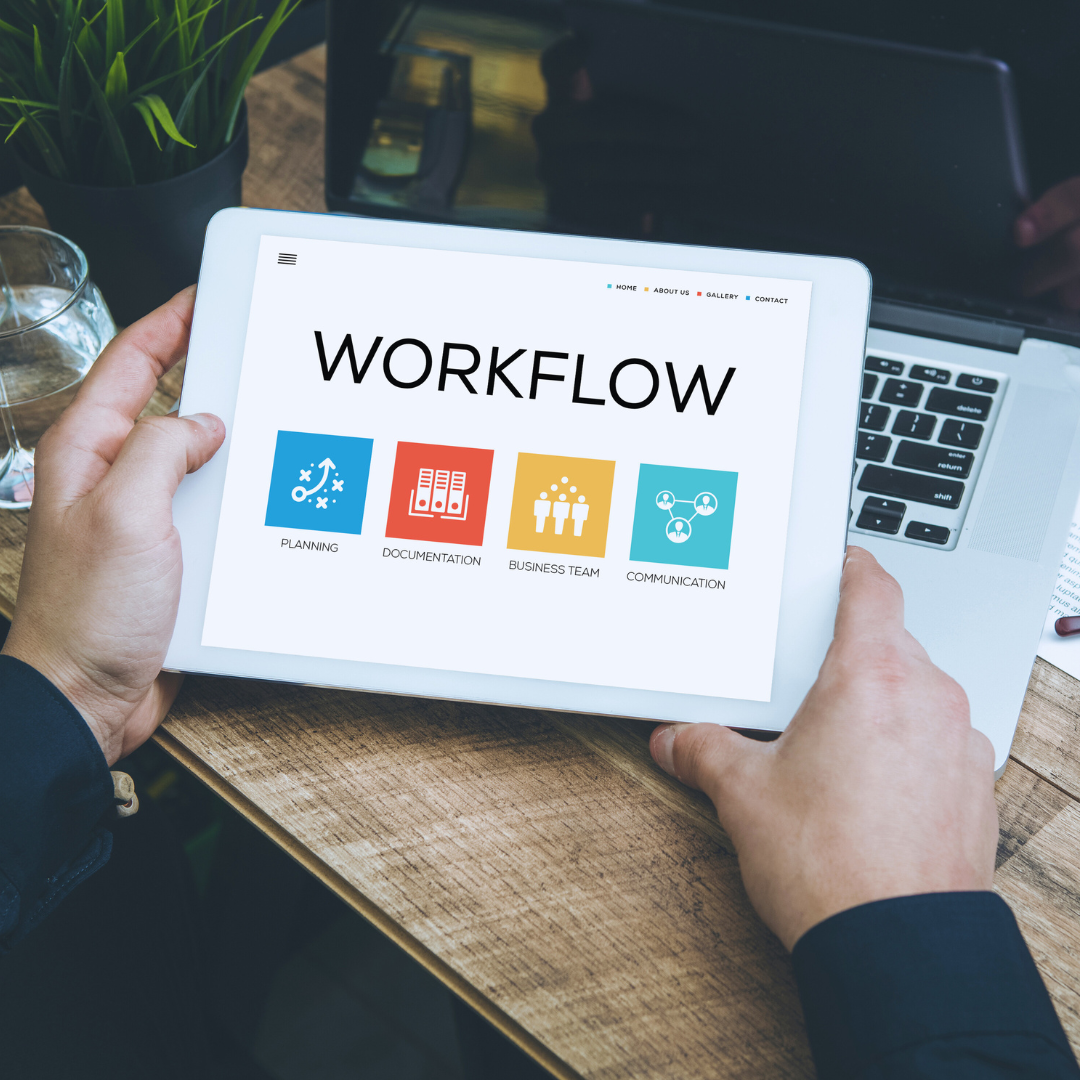
Improving workflow is essential for boosting productivity and reducing errors in any work environment. Technology plays a pivotal role by streamlining tasks, automating repetitive processes, and enhancing communication between team members. Effective use of technology can transform complex workflows into efficient, manageable systems.
Tools like project management software, automation platforms, and collaboration apps allow teams to stay organised and track progress in real time. These solutions help identify bottlenecks and optimise resource allocation, saving time and effort.
Choosing the right technology depends on the specific needs of your workflow and goals. Understanding how these tools integrate into daily operations is key to maximising their impact and improving overall efficiency.
Understanding Workflow Improvement Technologies
Workflow improvement technologies streamline processes by reducing manual tasks and increasing consistency. They range from simple software to complex systems that manage and automate entire workflows.
Defining Workflow Technology
Workflow technology refers to tools and systems designed to automate, manage, and optimise work processes. These technologies reduce the need for human intervention in repetitive tasks, allowing teams to focus on higher-value activities.
Common features include task tracking, automated notifications, and integration with other software. Workflow technologies help maintain order by defining clear steps and responsibilities in processes such as document approval or customer onboarding.
The goal is to increase efficiency, reduce errors, and improve collaboration through structured process management across departments.
Evolution of Workflow Tools
Workflow tools began as basic task management software in the 1990s, focused primarily on scheduling and tracking tasks. Over time, they evolved to include automation capabilities like email alerts and simple conditional logic.
In the mid-2000s, the rise of Business Process Management (BPM) introduced more sophisticated modelling, execution, and monitoring of workflows. Cloud computing further expanded accessibility and scalability.
Today’s tools combine artificial intelligence, machine learning, and robotic process automation (RPA) to handle complex, multi-system processes with minimal human input.
Types of Workflow Automation
Workflow automation can be categorised into three main types:
- Rule-based Automation: Executes predefined rules for repetitive tasks, such as data entry or email routing.
- Process Automation: Automates sequences of tasks in a multi-step workflow, coordinating actions across systems.
- Intelligent Automation: Uses AI and machine learning to handle unstructured data and make decisions, like customer service chatbots.
Each type addresses different workflow challenges depending on complexity and the level of human judgment involved. Combining these automation forms offers flexible solutions to improve diverse business operations.
Core Technologies Enhancing Workflow
Modern workflow improvements rely on tools that streamline communication, task organisation, and repetitive processes. These technologies reduce delays and increase accuracy by providing real-time access, structured planning, and automation.
Cloud-Based Collaboration Platforms
Cloud-based platforms enable teams to work together across locations with centralised access to documents and tools. They support real-time editing, version control, and instant communication, which reduces email clutter and misalignment.
Key features include:
- File sharing with permission controls
- Integrated chat and video calls
- Task assignment and progress tracking
Examples like Microsoft Teams, Google Workspace, and Slack offer seamless integration with other business tools. These platforms improve transparency by keeping all team members updated and reducing delays caused by waiting for file downloads or email replies.
Project Management Software
Project management tools organise tasks, deadlines, and resources in one interface. They use visual aids such as Gantt charts and Kanban boards to enhance clarity around project status and individual responsibilities.
Important functions often include:
- Task prioritisation and deadline alerts
- Resource allocation and workload balancing
- Reporting dashboards for performance tracking
Tools like Asana, Trello, and Monday.com provide flexible solutions suitable for various team sizes and workflows. They reduce redundant meetings by allowing updates and collaborations within the platform.
Business Process Automation Solutions
Automation software handles repetitive tasks by configuring workflows that reduce manual input. This technology decreases errors and frees up employee time for higher-value activities.
Typical automation areas:
- Data entry and validation
- Invoice processing and approval workflows
- Customer support ticket routing
Popular tools include UiPath, Zapier, and Automation Anywhere. They improve efficiency by integrating with existing systems and triggering actions based on predefined rules without ongoing human intervention.
Integrating Automation into Workflow
Automation reduces manual effort and accelerates task completion through precise, repetitive actions. It streamlines processes by handling routine work and enabling smarter decision-making.
Robotic Process Automation (RPA)
RPA uses software bots to perform rule-based tasks like data entry, invoice processing, and email sorting. It mimics human actions on digital systems, completing these tasks faster and with fewer errors.
Key benefits of RPA include:
- Increased accuracy: Bots follow exact instructions, reducing mistakes.
- Scalability: Bots can be deployed across departments as needed.
- Cost savings: Automates labour-intensive work, saving on staffing costs.
Implementation requires mapping current workflows and identifying repetitive, high-volume tasks suitable for automation. RPA integrates with existing applications without major infrastructure changes, making it accessible for many organisations.
AI-Powered Workflow Tools
AI tools analyse data to optimise workflows with predictive insights and adaptive automation. They help prioritise tasks, detect bottlenecks, and suggest improvements based on historical trends.
Examples include:
- Intelligent scheduling: Automatically allocating resources based on workload.
- Natural language processing: Automating email responses and customer interactions.
- Pattern recognition: Identifying inefficiencies and recommending workflow adjustments.
These tools learn from ongoing operations, improving their effectiveness over time. Integration often involves connecting AI platforms with project management or CRM software for real-time decision support.
Optimising Communication Through Technology
Effective communication tools reduce delays and misunderstandings in workflows. They connect teams instantly and organise conversations for easy access, improving clarity and response times.
Real-Time Messaging Solutions
Real-time messaging platforms like Slack and Microsoft Teams enable instant communication across devices. These tools support direct messages, group chats, and channels dedicated to projects or departments, keeping conversations organised.
Features such as message threading and searchable histories help track discussions and decisions. Integration with other tools (e.g., calendars, file sharing) streamlines work without switching apps. Notifications can be customised to prioritise urgent messages while minimising distractions.
This immediacy facilitates faster problem-solving, decision-making, and collaboration, particularly for remote or hybrid teams.
Unified Communication Platforms
Unified communication platforms combine messaging, voice, video calls, and conferencing into a single interface. Examples include Zoom Phone and Cisco Webex.
These platforms reduce the need to juggle multiple tools by offering:
- Seamless switching between communication modes
- Centralised contact management
- Built-in scheduling and presence indicators
By integrating communication channels, these systems enhance workflow continuity and reduce downtime caused by fragmented conversations or missed messages. They also support scalable collaboration, accommodating varying team sizes and workflows.
Enhancing Workflow With Data and Analytics
Data and analytics tools identify bottlenecks and inefficiencies by closely monitoring task flow and resource use. They provide precise, actionable insights to improve decision-making and streamline processes.
Workflow Analytics Platforms
Workflow analytics platforms collect and analyse data across multiple systems to map out real-time processes. They highlight delays, redundant tasks, and resource mismatches by visualising workflows through dashboards and reports.
Key features include:
- Process mapping: Visualises end-to-end workflow stages.
- Bottleneck identification: Points out where tasks slow down.
- Resource allocation: Tracks utilisation to optimise assignment.
These platforms often integrate with project management tools and ERPs, allowing granular data capture. This helps organisations pinpoint specific areas for automation or restructuring. Metrics like task completion time and handoff frequency support targeted improvements.
Performance Tracking Solutions
Performance tracking solutions measure individual and team productivity by gathering data on work output, time spent, and quality. They offer benchmark comparisons and alert managers to deviations from standards.
Features commonly include:
- Time tracking: Logs actual hours per task.
- Output measurement: Records the quantity and accuracy of deliverables.
- Real-time alerts: Flags underperformance immediately.
Such solutions enable evidence-based feedback, enhancing workforce efficiency. Using customizable KPIs, these tools align daily activities with organisational goals, ensuring accountability and focus on critical priorities.
Mobile Technologies for Flexible Workflows
Modern mobile technologies allow employees to perform tasks efficiently outside traditional office settings. These tools facilitate real-time collaboration, task management, and secure access to company resources from anywhere.
Mobile Workflow Applications
Mobile workflow applications streamline task execution by integrating scheduling, communication, and project tracking into a single platform. Apps like Asana, Trello, and Monday.com enable users to assign tasks, set deadlines, and monitor progress on smartphones or tablets. They support push notifications and updates, ensuring team members remain informed about changes instantly.
These apps often include offline functionality, allowing work to continue without internet access and automatically syncing when reconnected. Many also offer customizable templates for specific industries, improving adaptability to different workflow needs. Integration with cloud storage services like Google Drive or Dropbox enhances file sharing and collaboration directly within the app environment.
Remote Access Tools
Remote access tools grant secure connectivity to office desktops, servers, or cloud environments from mobile devices. Solutions such as Microsoft Remote Desktop, TeamViewer, and VPN clients provide encrypted access, preserving data privacy while enabling flexibility.
These tools are critical for accessing proprietary software or sensitive databases not available through standard apps. They support multi-factor authentication (MFA) and role-based access control to validate users and restrict permissions based on job roles. Performance optimisation features, such as adaptive compression and bandwidth management, ensure smooth operation even on slower networks.
Security and Compliance in Workflow Technology
Effective workflow technology prioritises the safeguarding of sensitive information and ensures adherence to legal requirements. Implementations focus on strong data protection techniques and tools that support compliance with industry regulations.
Data Protection Measures
Workflow technologies commonly use encryption to secure data both at rest and in transit. Advanced systems apply AES-256 encryption or similar standards to prevent unauthorised access.
Multi-factor authentication (MFA) enhances user verification, reducing the risk of account breaches. Role-based access control (RBAC) limits data visibility and modification to authorised personnel only.
Regular security audits and automatic threat detection tools help identify vulnerabilities quickly. In addition, secure backup solutions ensure data recovery in case of loss or corruption.
Regulatory Compliance Solutions
Workflow platforms often include built-in tools that assist with compliance with standards such as GDPR, HIPAA, or SOX. Automated audit trails record every action taken in the system for transparency and accountability.
Compliance dashboards provide real-time monitoring and reporting capabilities, simplifying the management of regulatory requirements. These systems also support configurable policies for data retention and user privacy.
Integration with third-party compliance software further strengthens adherence by validating processes and documentation. This helps organisations avoid fines and reputational damage linked to non-compliance.
Best Practices for Adopting Workflow Technologies
Before implementing new workflow technology, assess the specific needs and pain points of your team. This ensures the solution directly addresses existing challenges rather than adding complexity.
Involve key stakeholders early to gain insights and foster buy-in. Engagement from managers and end-users helps tailor the technology to practical workflows and increases adoption rates.
Provide comprehensive training and support. Learning resources and hands-on sessions reduce resistance and improve efficiency in using new tools.
Focus on integration capabilities. Choose technologies that seamlessly connect with your current software ecosystem to avoid data silos and duplicated efforts.
| Best Practice | Description |
| Needs Assessment | Identify specific workflow issues before selecting tools |
| Stakeholder Engagement | Involve users and decision-makers early |
| Training & Support | Offer ongoing education and helpdesk resources |
| Integration | Ensure compatibility with existing systems |
Regularly monitor performance and gather feedback after deployment. Adjust workflows and settings based on real-world use to optimise benefits.
Start with pilot programs when possible. Testing technologies on a small scale reduces risks and highlights necessary adjustments before full-scale rollout.
Security and compliance must be prioritised. Verify that the technology meets organisational policies and industry regulations to protect sensitive information.
Future Trends in Workflow Improvement
Workflow enhancement is advancing with precise technologies designed to target repetitive tasks and data analysis. These developments aim to reduce manual effort and increase decision-making accuracy.
Emerging Automation Tools
New automation tools go beyond basic task completion. They integrate with multiple platforms to streamline entire processes rather than isolated actions. Examples include robotic process automation (RPA) that mimics human interaction with software, reducing errors and processing times.
Automation platforms now offer customizable workflows with drag-and-drop interfaces. This allows non-technical users to design automation sequences, increasing accessibility. Additionally, low-code and no-code tools enable faster deployment in diverse work environments.
Businesses also benefit from automation tools that incorporate real-time monitoring. These tools provide insights into bottlenecks, enabling prompt adjustments to maintain smooth operations.
The Role of Machine Learning
Machine learning (ML) refines workflow by analysing vast data and predicting outcomes. This predictive capability supports better scheduling, resource allocation, and risk management in workflows.
ML models improve over time, learning from new data and adapting to changing conditions. This dynamic adjustment enhances decision-making accuracy without human intervention.
Common applications include anomaly detection to flag unusual activities, and natural language processing (NLP) to automate customer service responses. Integration of ML into workflow systems helps prioritise tasks, reduce delays, and optimise productivity.